
Inard CAD Pro3.5.2 - Google Play
You'll be able to see results in few seconds.
Publisher Description
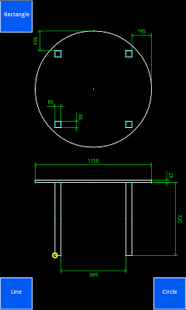
Inard was created with the vision to empower users to create CAD drawings with speed and ease. It combines the speed of the touch screen with efficient basic AutoCAD features.
Inard CAD Pro has all the features Inard CAD has plus
- full layer support,
- block support,
- share drawing as image, PDF, and DXF, and
- unlimited number of drawings.
To reach full potential the user need to spend a few minutes to learn Inard CAD Pro. Use the interactive help to get you up and running quickly.
Inard CAD Pro prompts the user with relevant actions dependent on what has been chosen on the screen and use sane defaults where possible. This approach does not clutter the interface and minimizes number of steps needed to achieve result.
Inard CAD Pro supports lines, arcs, circles, rectangles, text and distances. Double finger touch is used to support snap, near, and intercept selections. The basic editing features Copy, Move, Rotate and Delete are supported as well as the more advanced CAD features Extend, Fillet, Mirror, Offset, Trim, Split. Line widths, text heights, distances are adapting to the size of the drawing as it grows. Line type, line width, text height, and color can be modified by editing existing layers. Sharing the result as an Image, DXF or Inard file is done with a few clicks.
About Inard CAD Pro
The company that develops Inard CAD Pro is Pär Steffansson. The latest version released by its developer is 3.5.2.
To install Inard CAD Pro on your Android device, just click the green Continue To App button above to start the installation process. The app is listed on our website since 2014-05-12 and was downloaded 0 times. We have already checked if the download link is safe, however for your own protection we recommend that you scan the downloaded app with your antivirus. Your antivirus may detect the Inard CAD Pro as malware if the download link to se.inard.pro is broken.
How to install Inard CAD Pro on your Android device:
- Click on the Continue To App button on our website. This will redirect you to Google Play.
- Once the Inard CAD Pro is shown in the Google Play listing of your Android device, you can start its download and installation. Tap on the Install button located below the search bar and to the right of the app icon.
- A pop-up window with the permissions required by Inard CAD Pro will be shown. Click on Accept to continue the process.
- Inard CAD Pro will be downloaded onto your device, displaying a progress. Once the download completes, the installation will start and you'll get a notification after the installation is finished.
Program Details
System requirements
Download information
Pricing
Version History
version 3.5.2
posted on 2014-05-12
Features in v3.5.2 (2014-05-12),- New icons,- New color picker,- Larger icons when opening existing drawings,- Speeding up the drawing the canvas enabling larger drawings,- Bug fixes
version 2.9.1
posted on 2013-05-13
Several fixes and updates
Disclaimer
Official Google Play Link
We do not host Inard CAD Pro on our servers. We did not scan it for viruses, adware, spyware or other type of malware. This app is hosted by Google and passed their terms and conditions to be listed there. We recommend caution when installing it.
The Google Play link for Inard CAD Pro is provided to you by apps112.com without any warranties, representations or guarantees of any kind, so access it at your own risk.
If you have questions regarding this particular app contact the publisher directly. For questions about the functionalities of apps112.com contact us.
